
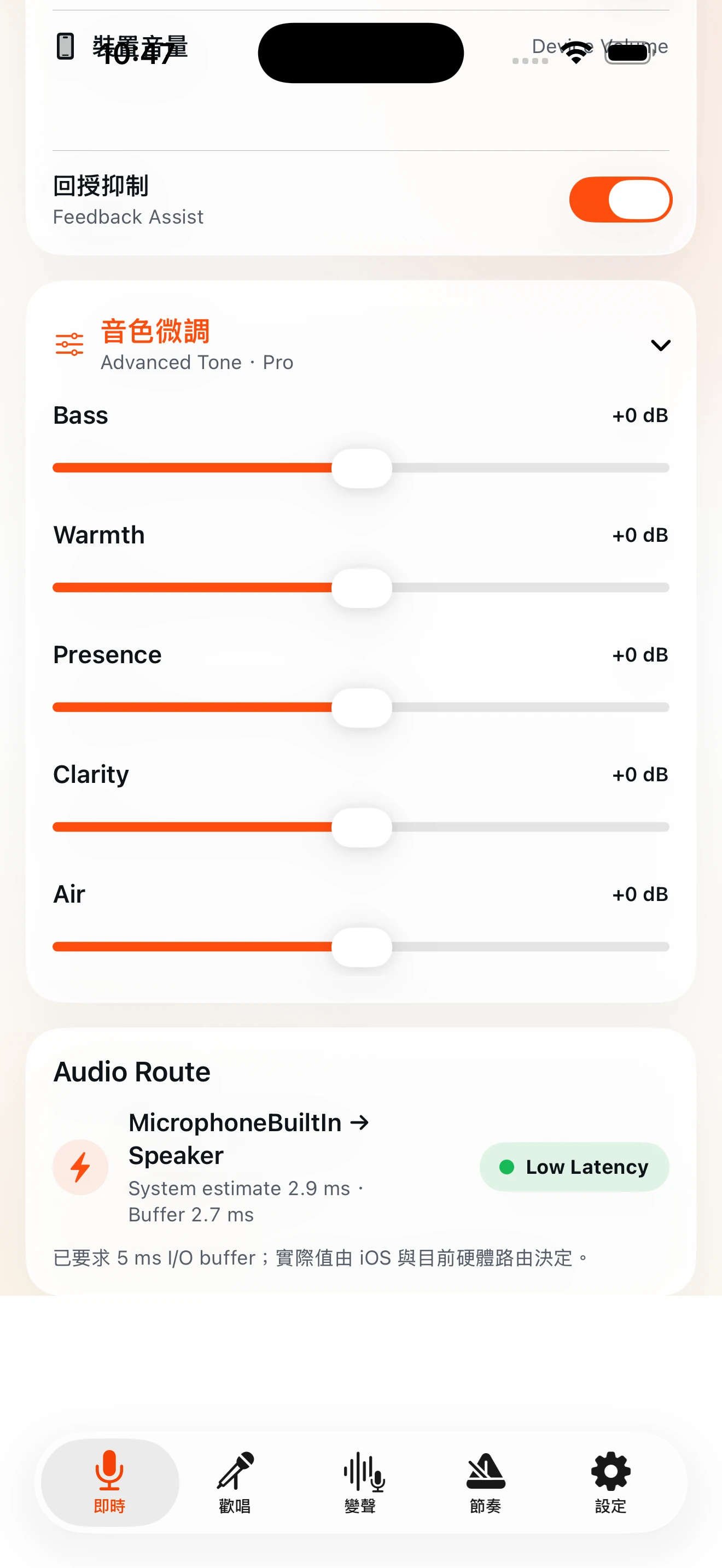
5-band EQ
Adjust Bass, Warmth, Presence, Clarity and Air. Advanced EQ requires Pro.
MicPlay for iPhone & iPad
Live Mic × Bluetooth Output × Karaoke × Voice FX × Recording
MicPlay turns iPhone and iPad into a mobile live-audio toolkit for capturing, shaping, amplifying and saving your voice. iPhone uses a fast tab workflow, while iPad provides a workstation-style Control Console.
iOS / iPadOS 17+
01 / Live Mic + Bluetooth
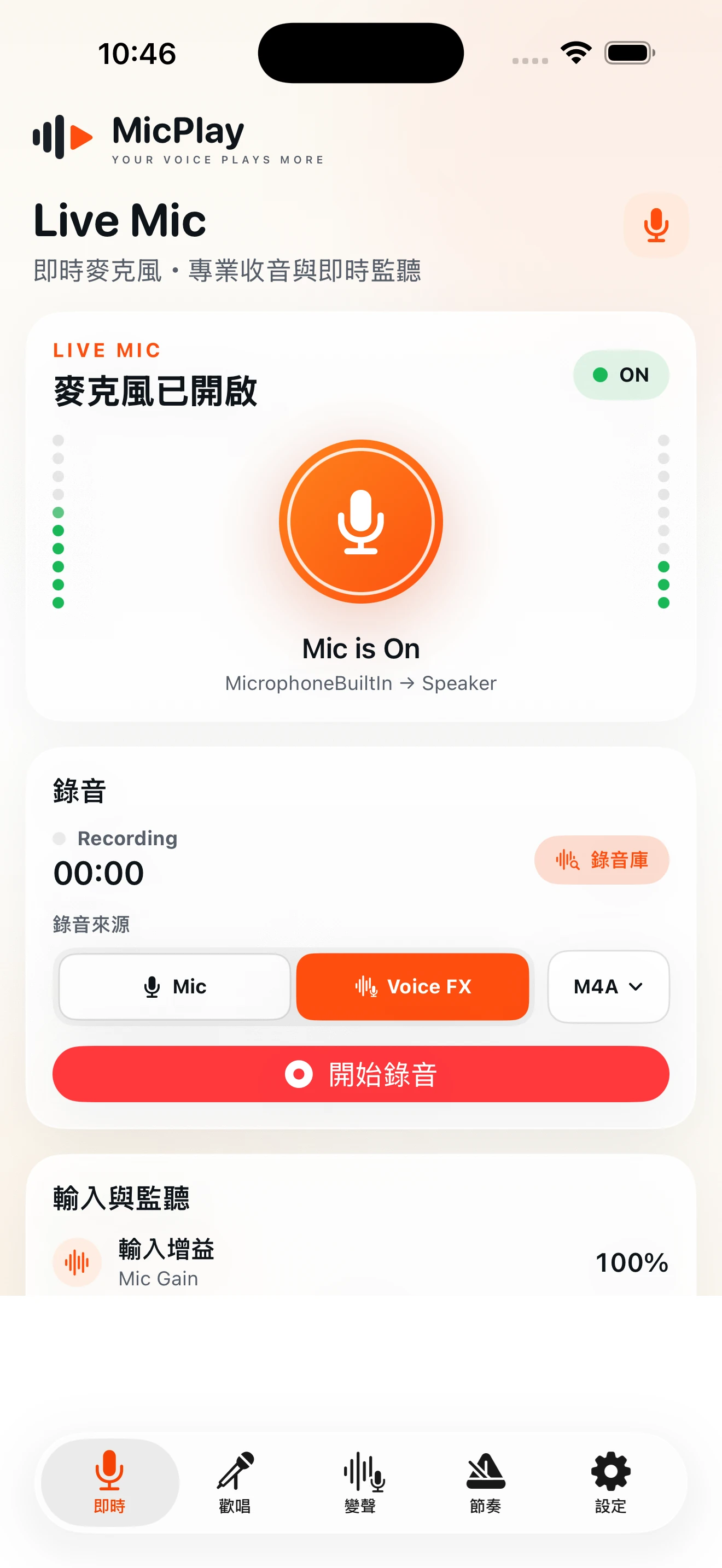
Use the built-in microphone for real-time input. Control Mic Gain, Monitor and Master Output independently, and route processed voice to compatible Bluetooth A2DP speakers or other audio outputs. Feedback Assist helps reduce feedback risk but does not replace proper speaker placement and volume management.
Bluetooth latency and quality vary by device, speaker, codec, distance and environment.
02 / MicPlay Pro Recording Pro only
MicPlay Pro includes Recording and a Recording Library. Capture Mic or processed Voice FX audio, save as M4A or WAV, then play, rename, share or delete recordings. Recording controls remain hidden in Free mode.
Mic Recording · Voice FX Recording
M4A · WAV
Play · Rename · Share/export · Delete
03 / Voice FX
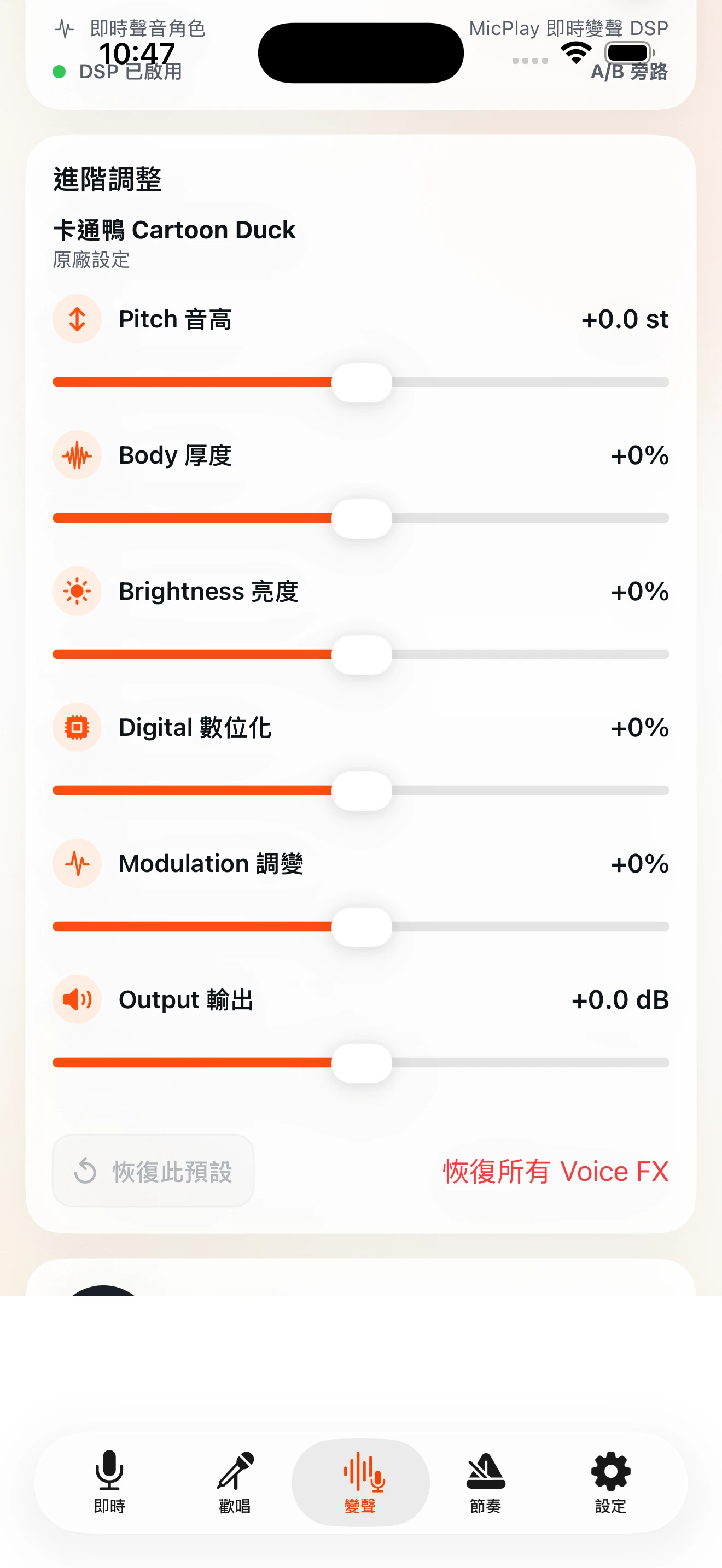
Switch between voice characters such as Natural, Male, Female, Child, Robot, Cyber, Radio, Telephone and Megaphone. MicPlay Pro adds detailed Pitch, Body, Brightness, Digital, Modulation and Output controls. Each preset remembers its own adjustments and can be restored individually or reset with Restore All Voice FX.
Restore This Preset resets only the current voice character. Restore All Voice FX clears all custom Voice FX parameters and returns to the official defaults.
04 / Karaoke
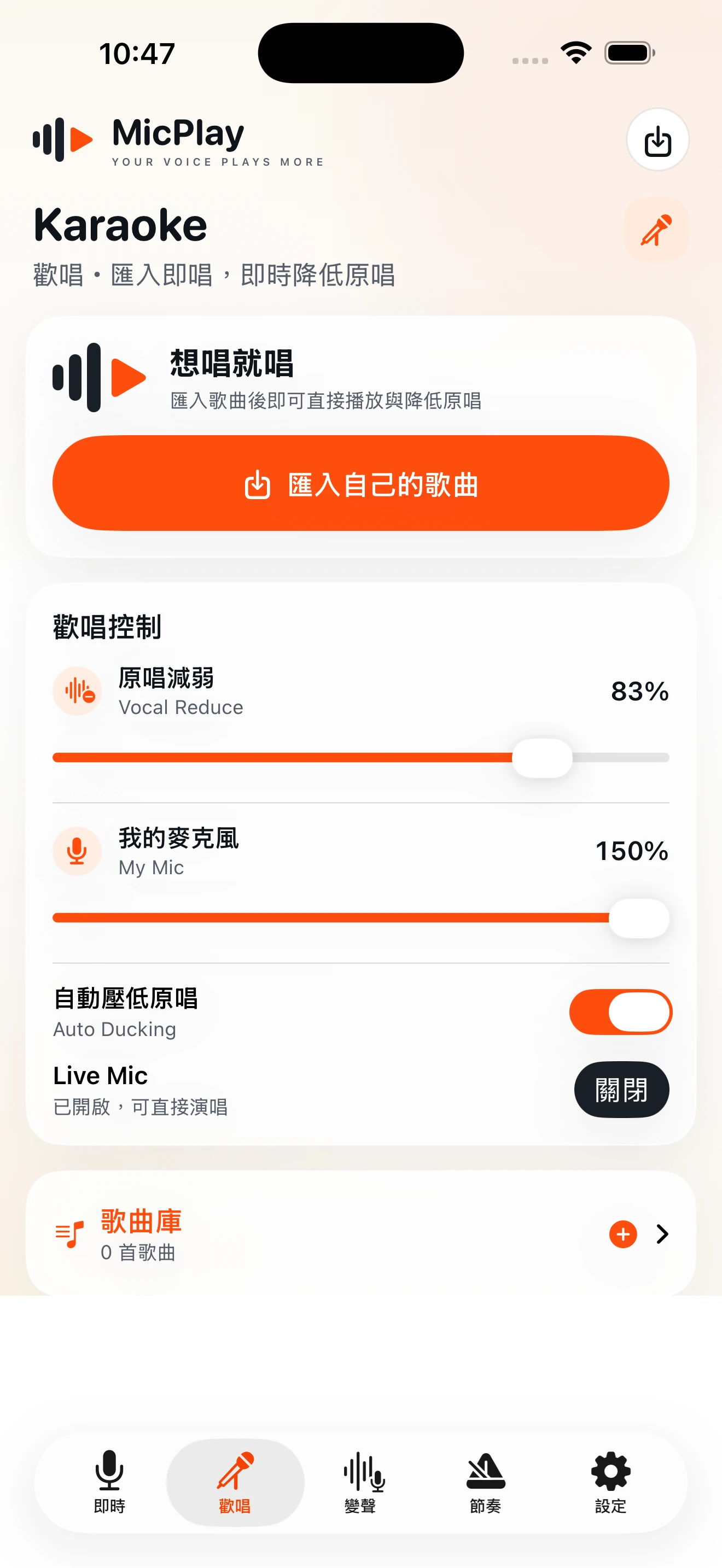
Import your own songs and start singing. Original, Guide, Karaoke, Vocal Reduce, My Mic and Auto Ducking keep music playback and the live microphone in one workflow.
05 / iPad Control Console
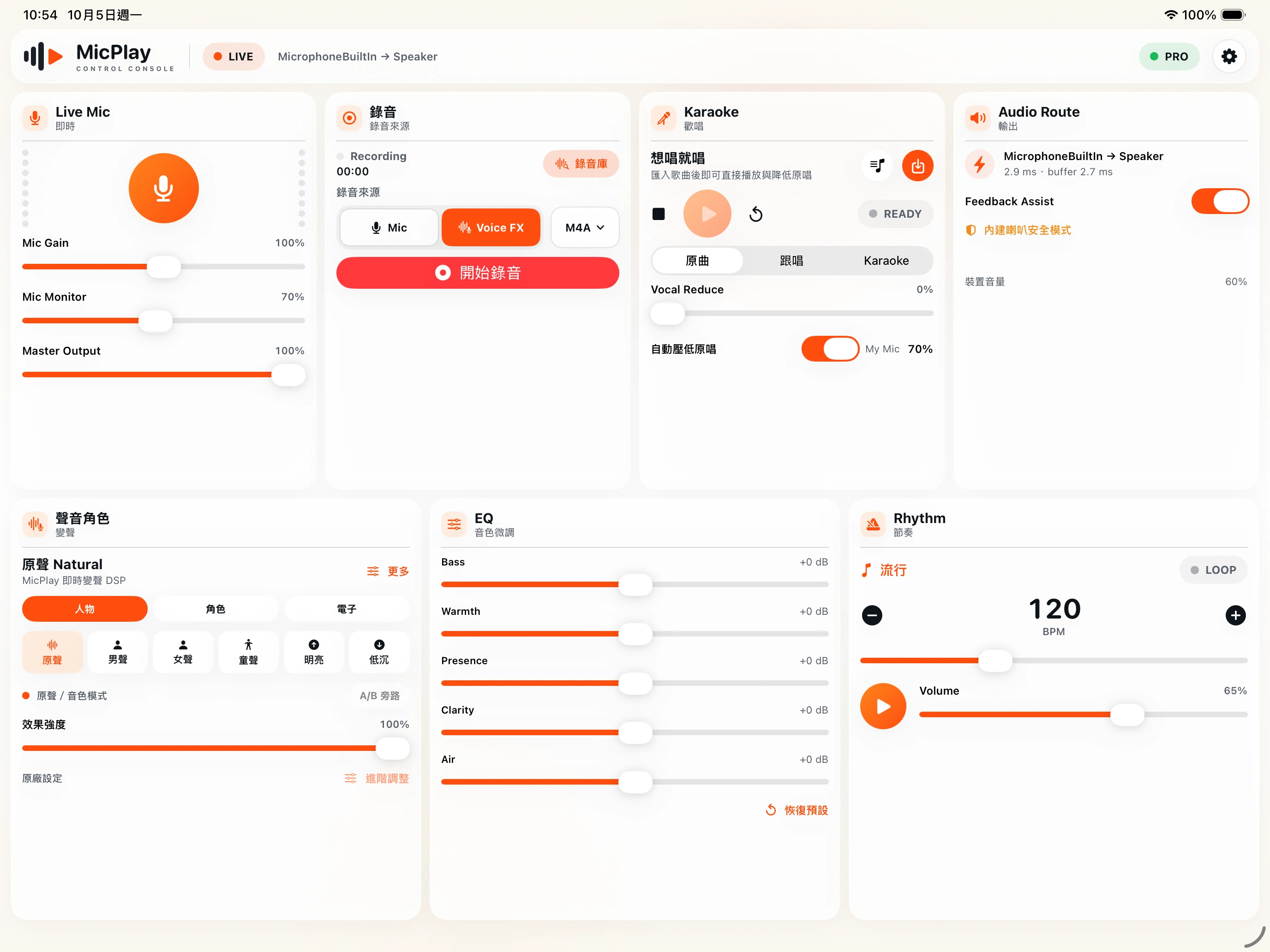
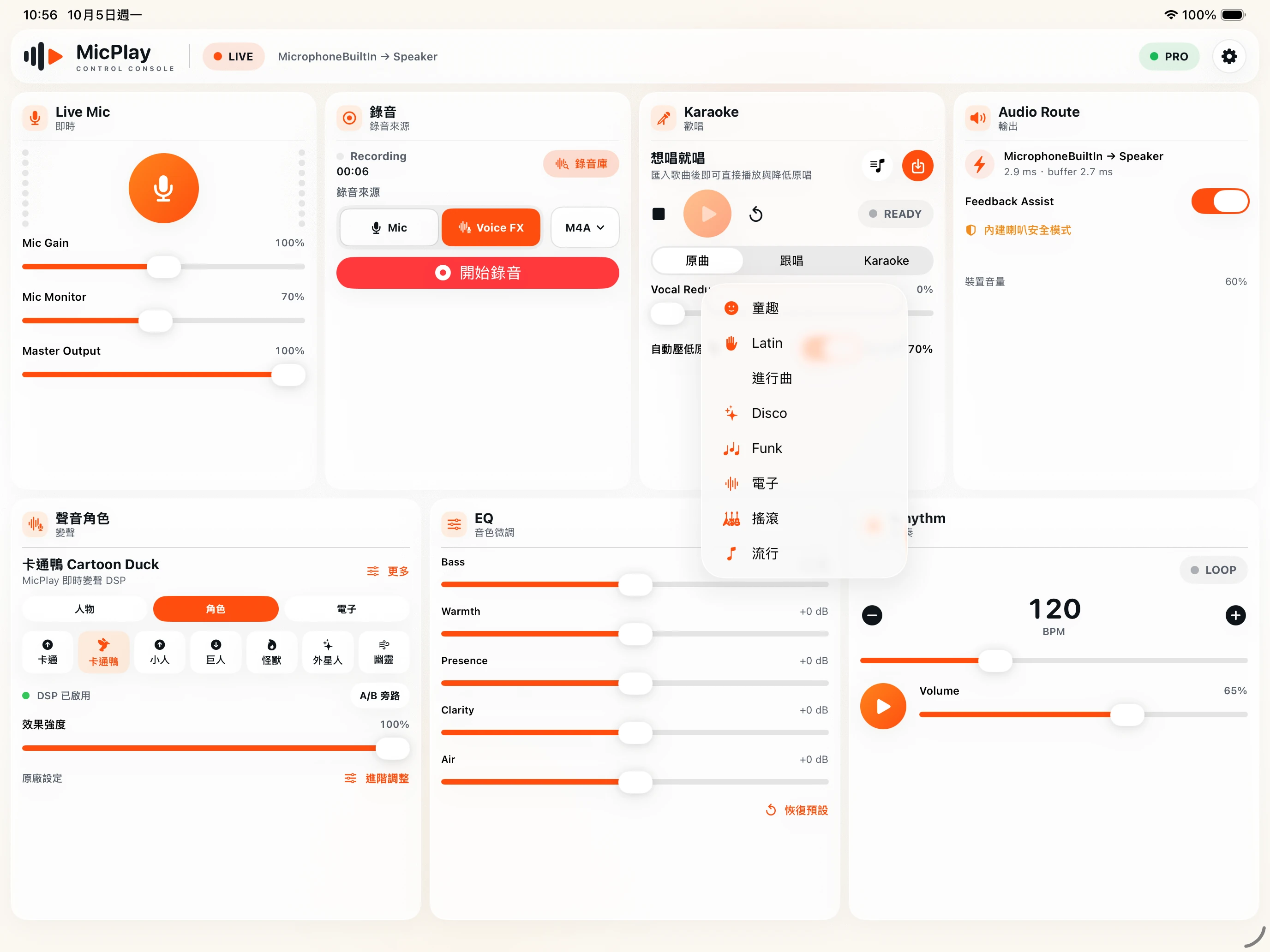
iPad is not simply an enlarged iPhone layout. Landscape uses a 3×2 console and portrait a 2×3 console, keeping Live Mic, Karaoke, Voice Character, EQ, Rhythm and Audio Route visible in one workspace.
Fast tabs on iPhone
Six modules together on iPad
06 / EQ · Rhythm · Feedback Assist
Adjust Bass, Warmth, Presence, Clarity and Air. Advanced EQ requires Pro.
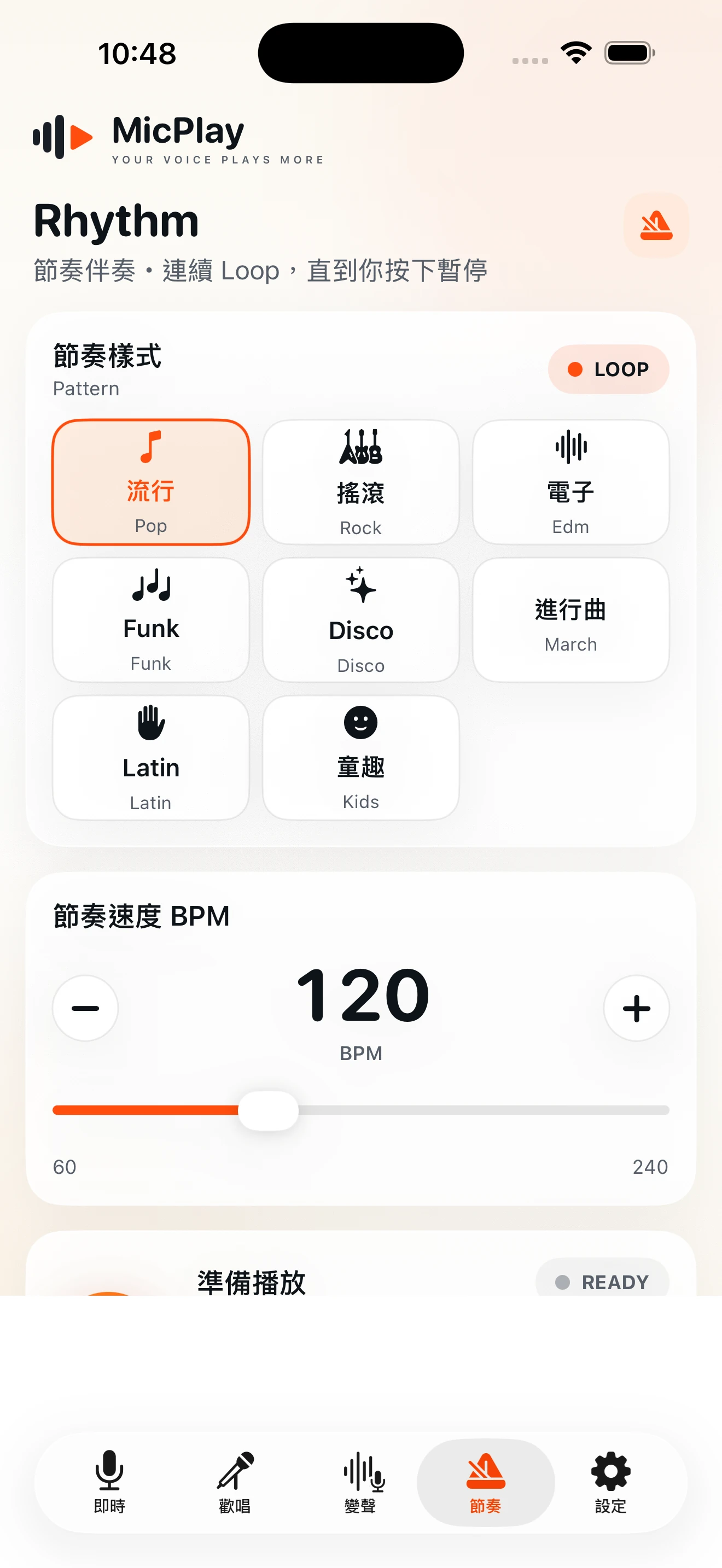
Use looping rhythm patterns with adjustable BPM and volume for singing practice, timing and improvisation.
Feedback Assist helps reduce feedback risk; speaker placement and volume still matter.
07 / FREE & PRO
MicPlay Free includes genuinely usable core functions such as Live Mic, basic Karaoke, Bluetooth Audio, Feedback Assist and essential sound controls, and may show advertising.
MicPlay Pro is a one-time permanent unlock for the full Voice FX set, advanced Voice Character controls, advanced EQ, full Rhythm, background audio, ad removal, Recording and the Recording Library. Storefront pricing may vary.
Pro only: Recording + Recording Library · M4A / WAV
Background and lock-screen audio remain subject to iOS, routing and device conditions.
Restore eligible purchases.
Start with the core features. Upgrade to MicPlay Pro when you need the full Voice FX set, advanced controls, recording and ad removal.
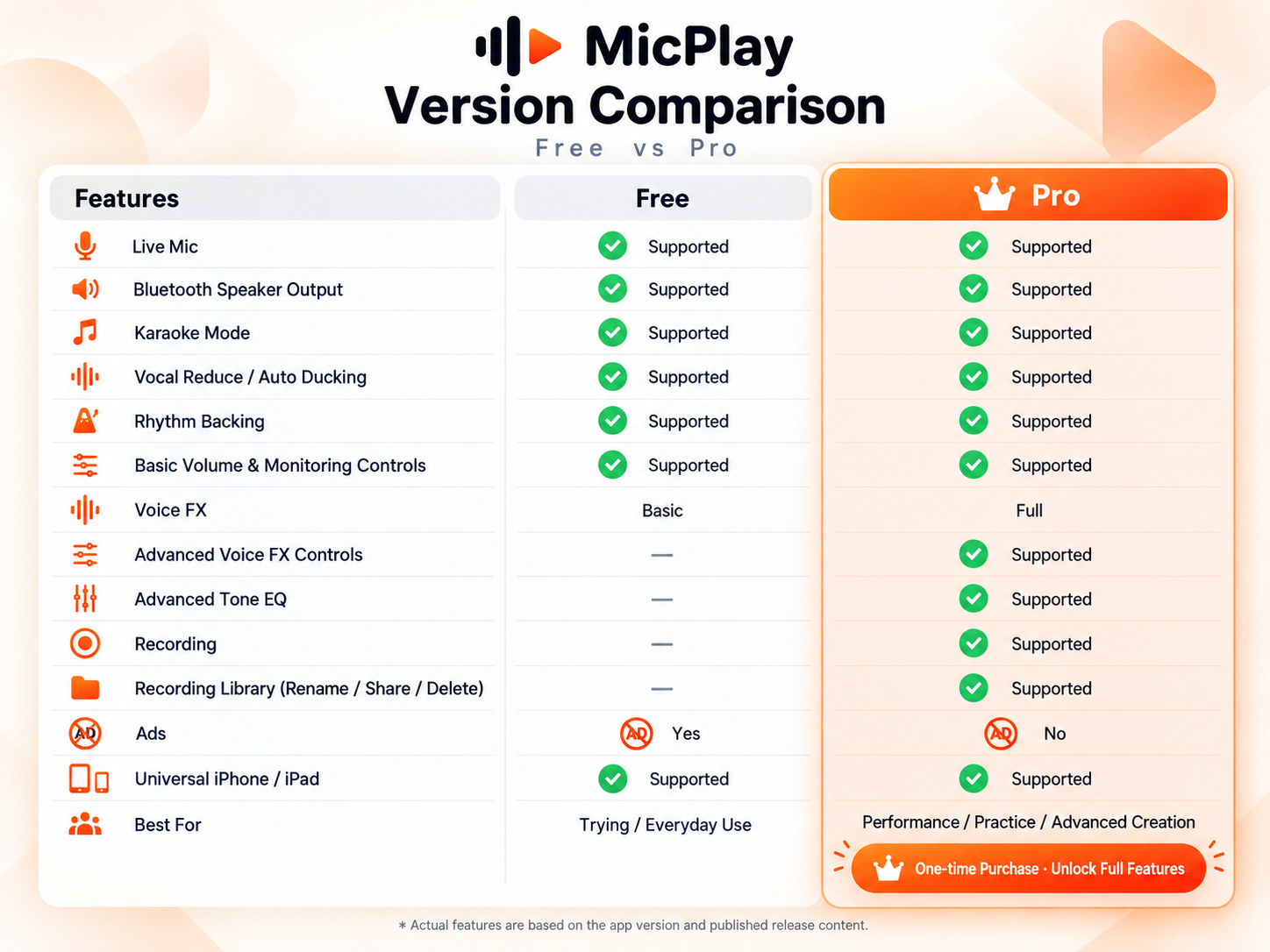
| Feature | Free | Pro |
|---|---|---|
| Live Mic | Supported | Supported |
| Bluetooth speaker output | Supported | Supported |
| Karaoke mode | Supported | Supported |
| Vocal Reduce / Auto Ducking | Supported | Supported |
| Rhythm backing | Supported | Supported |
| Basic volume and monitoring controls | Supported | Supported |
| Voice FX | Basic | Full |
| Advanced Voice FX controls | Not available | Supported |
| Advanced tone EQ | Not available | Supported |
| Recording (Mic / Voice FX) | Not available | Supported |
| Recording Library (play / rename / share / delete) | Not available | Supported |
| Ads | May appear | None |
| Universal iPhone / iPad | Supported | Supported |
| Best for | Trying / everyday use | Performance / practice / advanced creation |
Pro is a one-time permanent unlock. Full Rhythm, advanced Voice FX and EQ, Recording and Recording Library require Pro. Recording supports M4A/WAV. Actual features depend on the app version and published release content.
Core microphone and audio processing runs primarily on-device. Recordings created by the user are stored locally in app-managed device storage unless the user chooses to share or export them. The Free version integrates Google Mobile Ads and UMP; see the Privacy Policy for details.
Privacy PolicySystem requirements
Bluetooth latency and quality vary by device, speaker, codec, distance and environment.
Support
Quick on iPhone. Full control on iPad.